
Black Gaming Keyboards
In black gaming keyboards, finish changes colour: a matt surface softens a shade, while gloss or sheen makes it look deeper and brighter. Undertone matters: warm and cool versions of the same colour pair with different things. Two-tone and patterned designs are easier to match if one of their colours already appears in what you own.
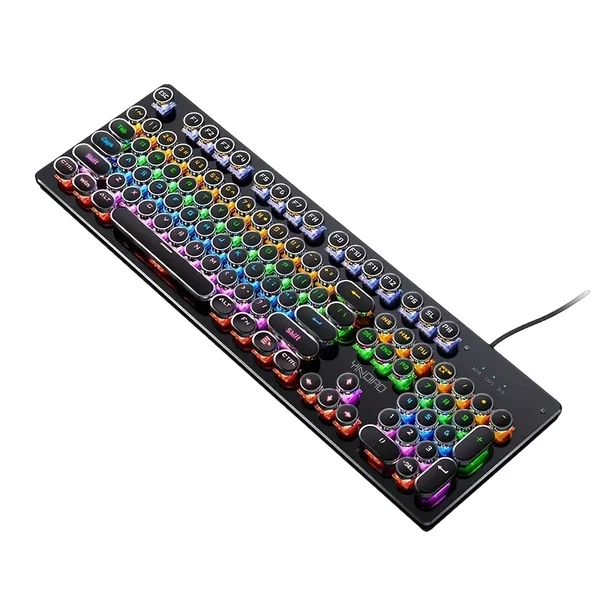
Caller 104-Key Backlit Mechanical Keyboard, Green Axis, USB, Black
£217.99 incl. VAT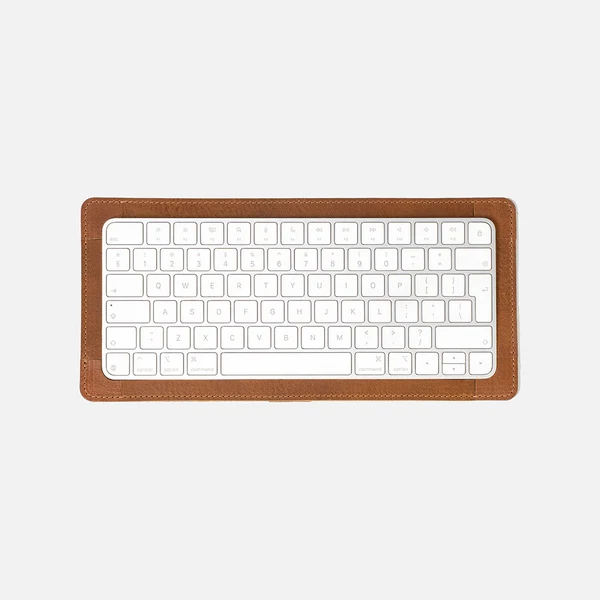
Full-Grain Leather Tray for Magic Keyboard
From £79.99 incl. VAT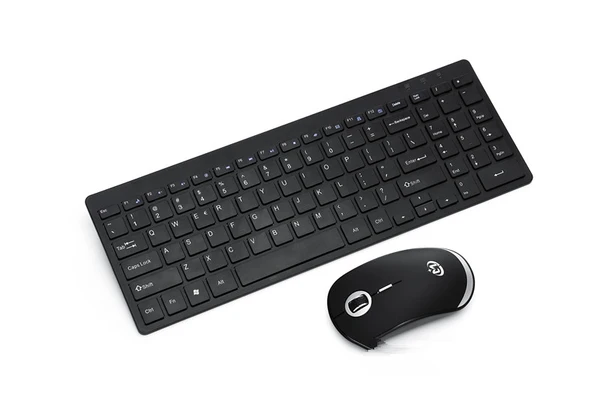
Wireless Keyboard with 95 Keys
£50.99 incl. VATThe checks
Questions to settle first
Compare like with like: settle the type, then weigh size, material and what is included.
01
Compare materials
Materials shape weight, feel and care; weigh them against daily use.
Shop All ProductsHow to choose
- For patterned or two-tone designs, look for one colour that already appears in your things.
- Choose the finish too: matt softens a colour, gloss deepens it.
- Use small coloured details, such as trims or edges, to tie things together.
Frequently asked questions
How do I keep this colour looking fresh?
Follow the care notes for black gaming keyboards, which may cover cleaning methods, suitable products or keeping it out of strong direct sunlight.
Is this shade easy to match?
That depends on what you own: if this shade already appears in your things, black gaming keyboards will match easily; if not, use it as an accent and keep the rest quiet.
How can I make black gaming keyboards go with what I have?
Look at the colours you already have and check that this shade repeats one of them or sits quietly beside them; that decides how well black gaming keyboards will go with what you own.
Can this shade vary between batches?
Slight differences between batches are common, so if you want black gaming keyboards to match exactly, choose them together rather than at different times.
Are colour names standard between makers?
No: makers name colours in their own way, so judge black gaming keyboards by the actual shade rather than the name.